 DropSheet
DropSheet / Excel or CSV
Receipts to Excel or CSV
Photos, emailed PDFs, or pasted email. Excel is two sheets. CSV is one flat file. Same drop. Files stay on your computer.
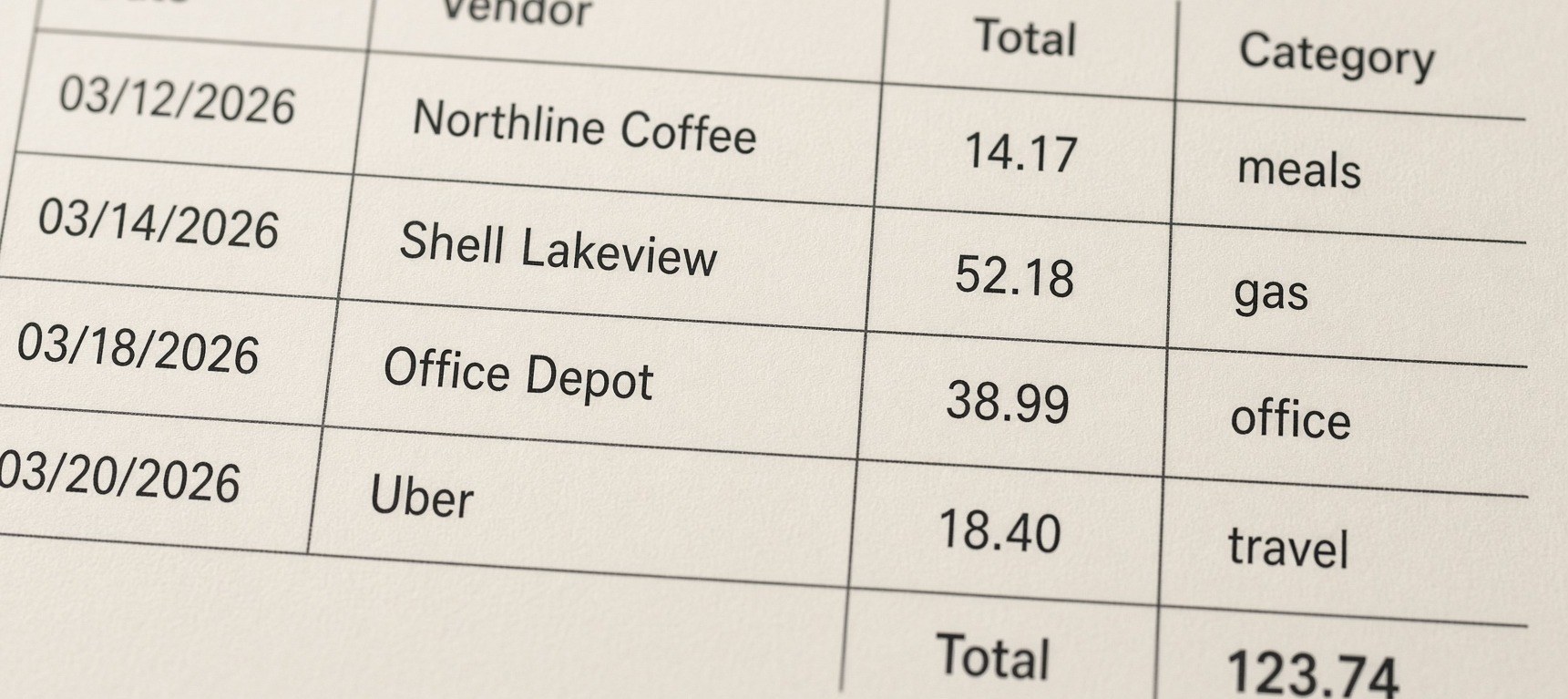
Accountants open Excel. They want date, vendor, total, category — not 150 JPEGs. DropSheet writes that workbook on your computer. The second sheet totals meals, groceries, gas, travel, office, medical, and other. Duplicate vendor + date + total is flagged on the first sheet.
DropSheet.xlsx
$123.74 · nothing uploaded
| Category | In the pile | Total |
|---|---|---|
| meals | Northline Coffee | $14.17 |
| gas | Shell Lakeview | $52.18 |
| office | Office Depot | $38.99 |
| travel | Uber | $18.40 |
| Workbook total | $123.74 | |
CSV — one flat file
Same rows. No second tab. Open it in Sheets or whoever’s template. Use Excel if they want By category already totaled.
DropSheet.csv
$123.74 · nothing uploaded
| Date | Vendor | Category | Total |
|---|---|---|---|
| 2026-03-12 | Northline Coffee | meals | $14.17 |
| 2026-03-14 | Shell Lakeview | gas | $52.18 |
| 2026-03-18 | Office Depot | office | $38.99 |
| 2026-03-20 | Uber | travel | $18.40 |
| Four files · one CSV | $123.74 | ||
Try receipts to Excel
Sample pile totals $123.74. Excel download stays locked until you paste a Gumroad license.
DropSheet
Drop receipt photos or PDFs. Or paste email text. Privacy. Nothing uploaded. Reading stays on your computer.
Drop your receipt
A photo or PDF. Reading happens here. Nothing is uploaded.
Four rows. $123.74. Your own files still read on this page.
What the workbook contains
01
Receipts sheet
One row per file. Date, vendor, total, tax, category, duplicate flag.
02
By category sheet
Totals for meals, groceries, gas, travel, office, medical, other. That is the tax-season view.
03
Built here
The .xlsx is written in Chrome, Edge, or Safari. Nothing uploaded. Not QuickBooks.
Convert a receipt photo to Excel
JPG and PNG from the camera roll. Shoot the receipt the day you get it. If the thermal print is gone, keep the row and type the total. The picture stays on your computer.
Emailed PDFs
Digital PDFs read as text on the first four pages. A scanned PDF is treated like a photo. Mix both with the camera shots in one workbook.
Excel, not a bookkeeper
This is not QuickBooks. No bank feeds, payroll, or invoicing. Tax shoebox: tax receipts in a spreadsheet. The two guides: how long to keep receipts and how to organize receipts for taxes. $29.99 once.
Receipts to Excel FAQ
- How do I convert a receipt photo to Excel?
- Drop the photo. Reading happens on your computer. Edit the row if the total is off. Export Excel after you paste a license.
- How do I turn a receipt into a spreadsheet?
- Same drop. Excel is two sheets: receipts, and totals by category. CSV is one flat file.
- How do I scan receipts to Excel?
- Photograph the slip, or drop a PDF. There is no separate scanner app. The file is the scan.
- How do I convert PDF receipts to Excel?
- Drop the PDFs. DropSheet reads the first four pages. Export Excel. You get a Receipts sheet and a By category sheet.
- Do receipt photos work too?
- Yes. Photos, PDFs, and pasted email text land in the same workbook. Multiple files at once.
- What is the By category sheet?
- A second Excel sheet that totals meals, groceries, gas, travel, office, medical, and other. That is the tax-season view.
- Is Excel export uploaded somewhere?
- No. The workbook is built in the browser. Files stay on your computer. No account. Consumer privacy is the default.
- CSV instead of Excel?
- Same drop. CSV is one flat file. Excel adds the By category sheet. $29.99 unlocks both.